
Practice and learn
Preparation Hub
Thousands of curated interview questions across eight categories, each with key points to cover, difficulty and type labels, and progress tracking. Browsing does not use credits.
Step 1: Open Practice → Preparation Hub
The Interview Preparation Hub shows the total question count and eight categories: Software Development, Data & Analytics, Business & Management, Design & Creative, Marketing & Digital, Finance & Operations, Sales & Customer Success and Healthcare & Sciences. Click a category to open its question bank.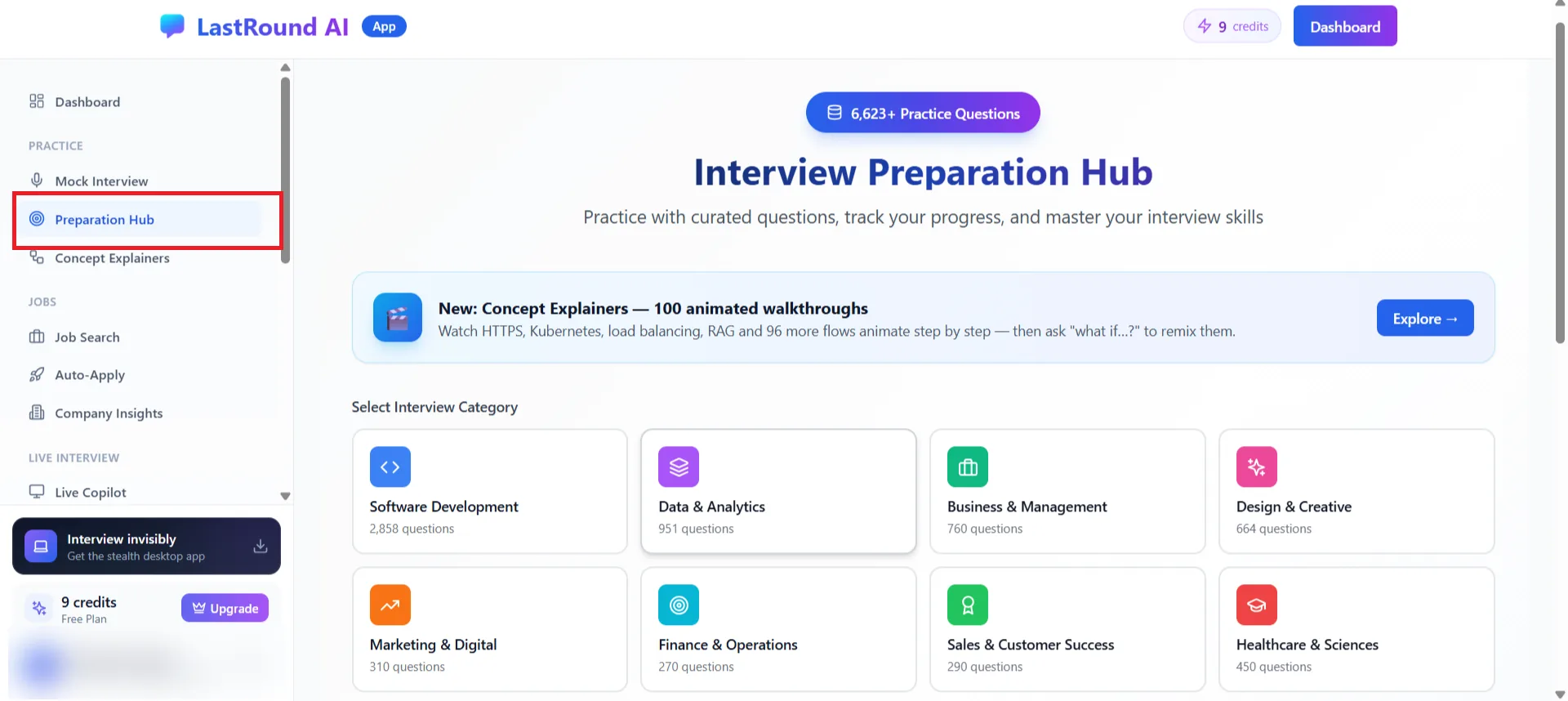
Practice → Preparation Hub. Each card shows how many questions it holds. Step 2: Filter and sort
Use Filter & Sort Questions to narrow by Domain, Difficulty and Question Type, search by question text, tag or technology, and sort (for example Newest First). The Filter chips switch between All, Favorites, Learning, Mastered and Technologies.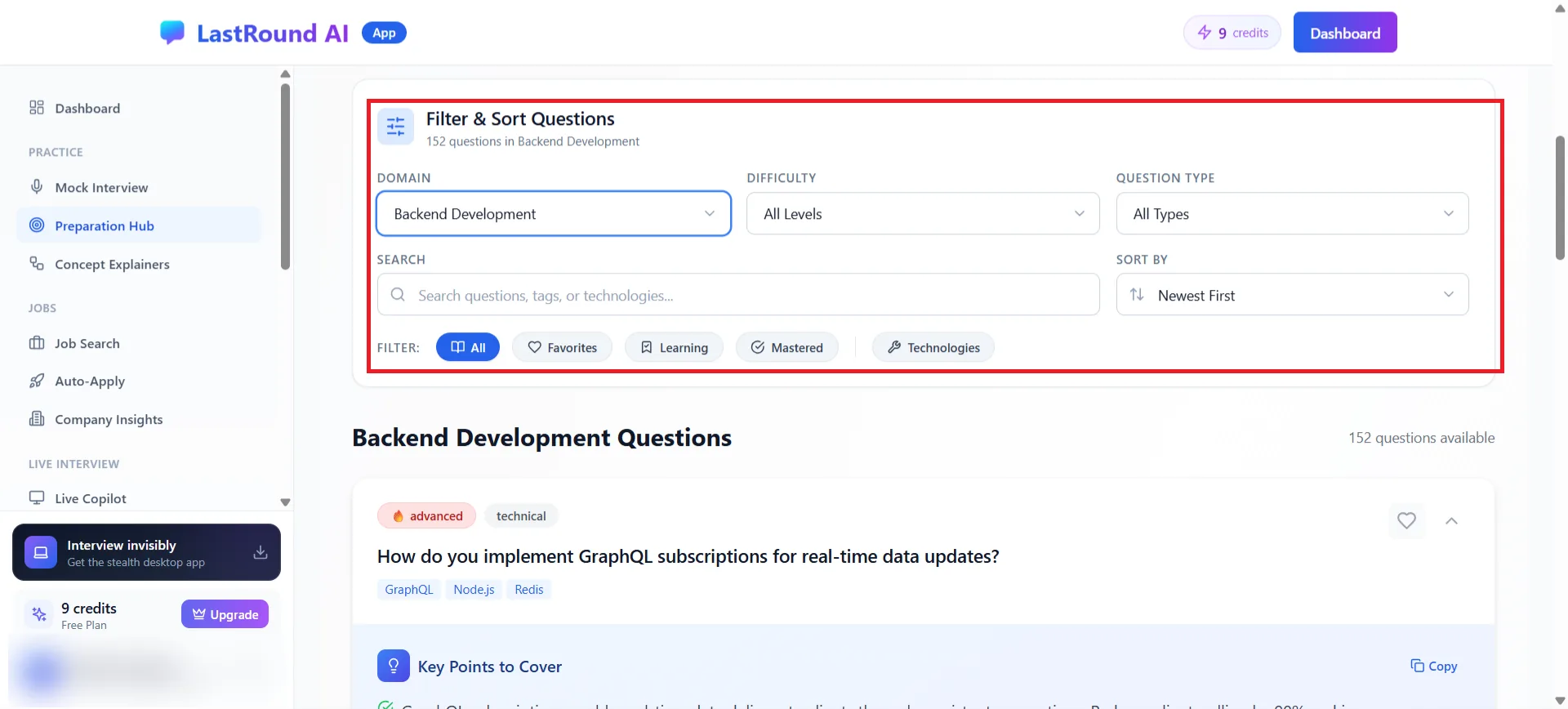
Filter & Sort Questions at the top of a category. Step 3: Open a question and read the key points
Each question card shows its difficulty (for example advanced) and type (for example technical) plus technology tags. Expand it to read Key Points to Cover, a structured answer outline you can Copy. Use the heart icon to add it to Favorites, and mark questions as learning or mastered to track progress.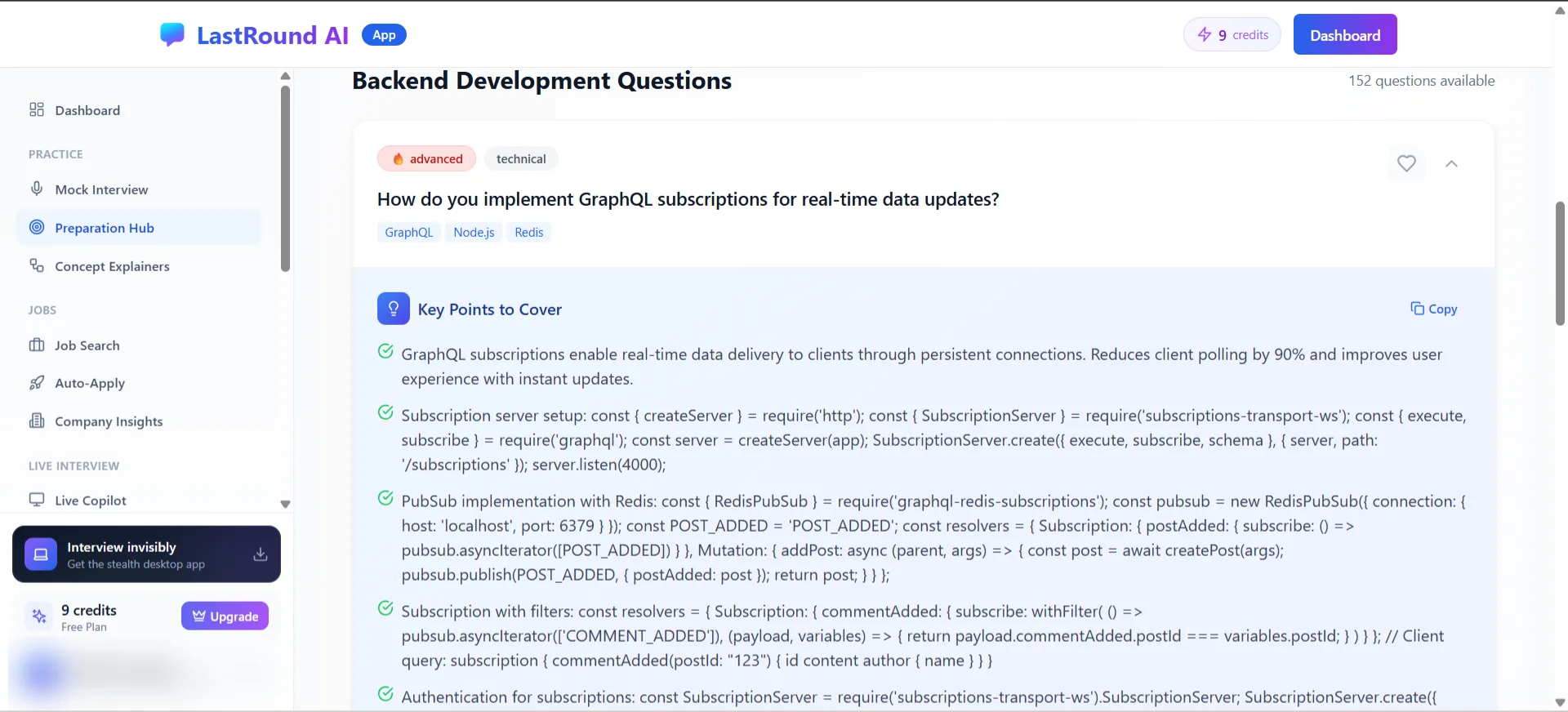
Key Points to Cover: what a strong answer needs to include.
Turn reading into practice
Pick five questions from your category, then run an AI Mock Interview in the same domain. The report will tell you which of the key points you actually said out loud.
Still stuck?
Signed in? Open a ticket under Account → Support in the app. Otherwise use the contact form or email. Tell us what you tried, which page of this guide you were on, and your operating system or browser.