
Jobs
Job Search
Live openings from LinkedIn, Indeed, Glassdoor and company pages, searched by role or company and ranked by fit to your resume, with direct apply links. 5 credits per new search; repeating a cached search is free.
Step 1: Open Jobs → Job Search
Enter a Role / keyword, optionally a Company, and up to three Locations (press Enter after each). Refine with Seniority, Experience, Date posted, Country, Sort by (Best match, Newest, Relevance) and the employment-type chips (Full-time, Contract, Part-time, Internship, Remote only). Click Search Jobs.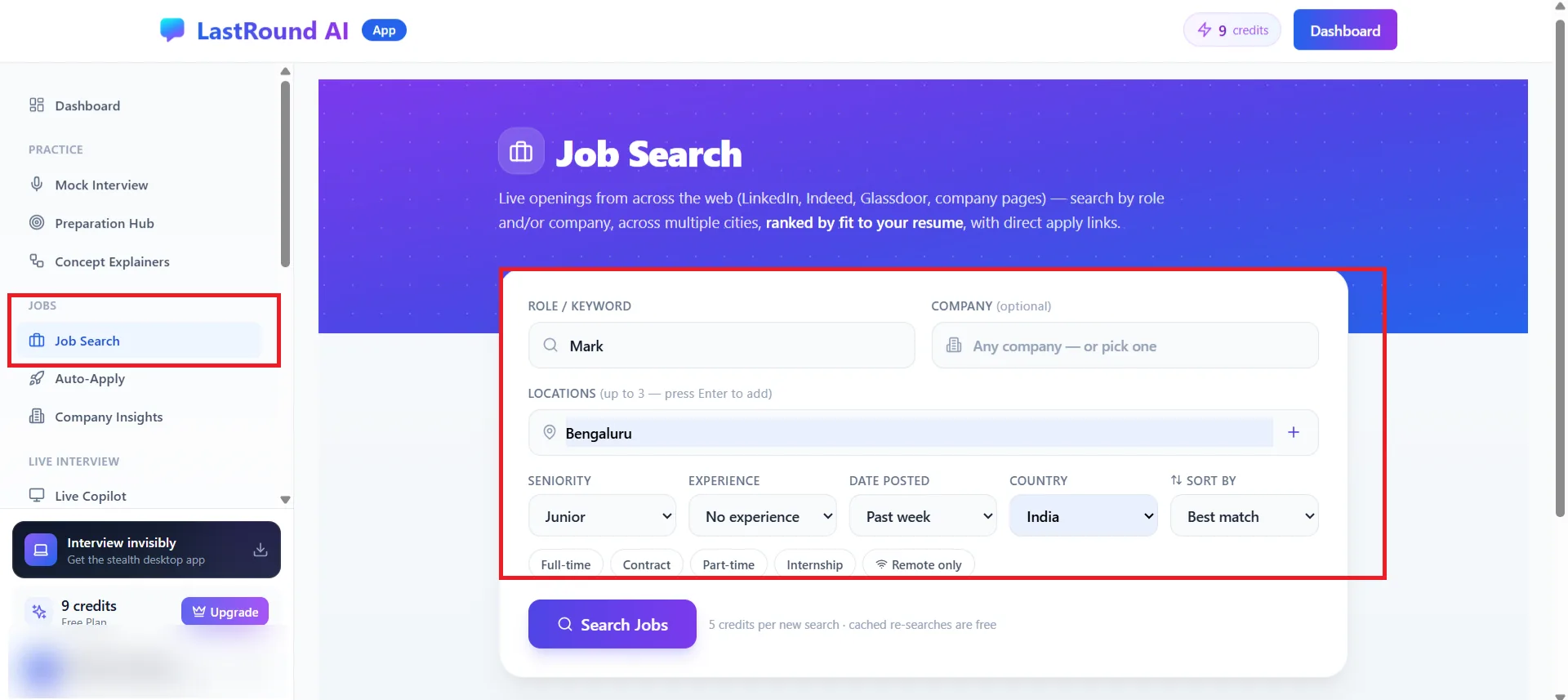
Jobs → Job Search. The cost line under the button reads 5 credits per new search, cached re-searches are free. Step 2: Read the results
Results are ranked by your resume, so upload one first for useful scores. Each card shows company, location, employment type, posting age, a match score and a one-line explanation of why it matched (or did not). Apply opens the original posting; Tailor resume opens the Resume Builder with this job description loaded.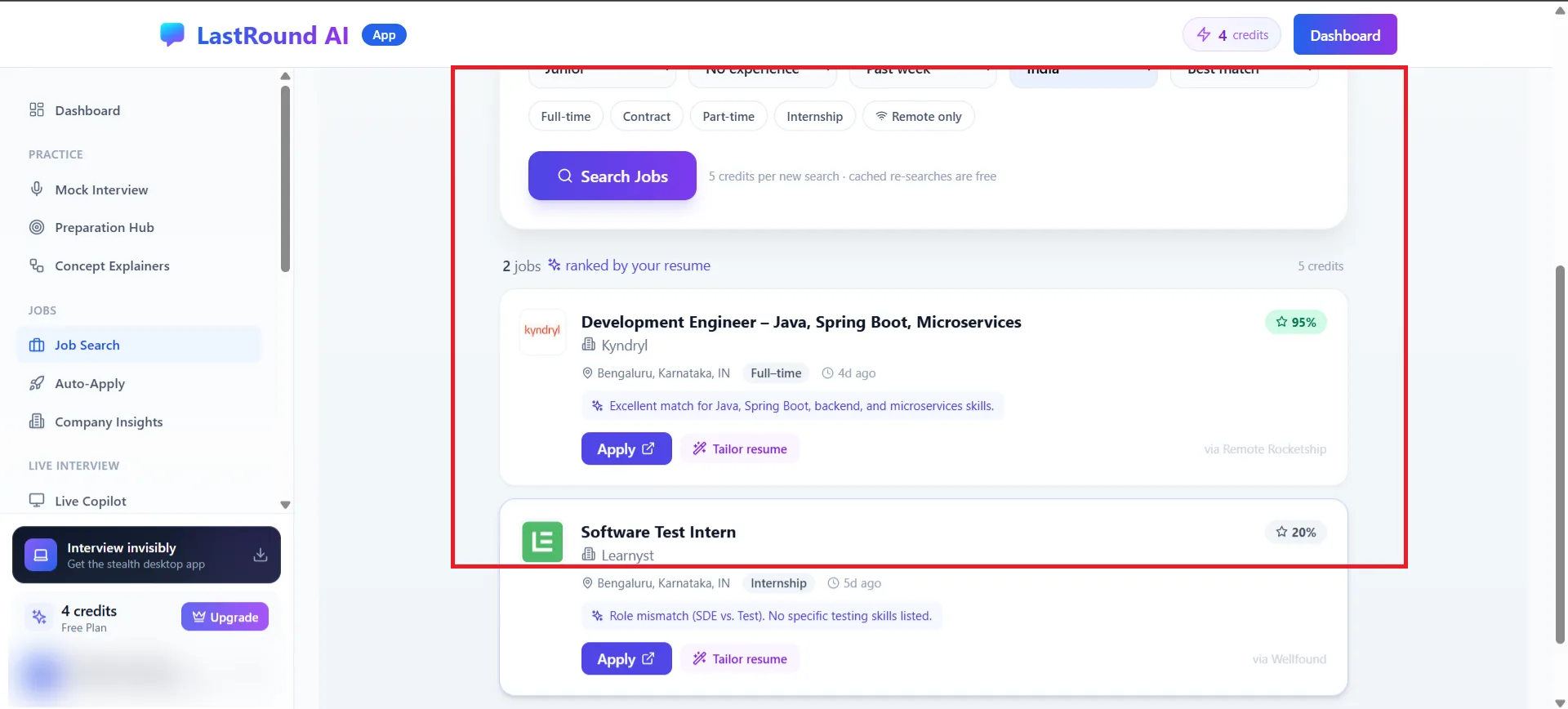
Results ranked by your resume. Green percentages are strong matches.
How credits work here
A new search costs 5 credits. Running the same search again while it is cached costs nothing; the results header tells you whether it was cached. Changing filters or locations counts as a new search.
Want LastRound AI to find and prepare applications for you?
Job Search is manual: you search, you apply. Auto-Apply matches roles to your saved preferences on its own and drafts tailored applications you approve. See the next guide.
Still stuck?
Signed in? Open a ticket under Account → Support in the app. Otherwise use the contact form or email. Tell us what you tried, which page of this guide you were on, and your operating system or browser.