
Practice and learn
Concept Explainers
Animated, step-by-step walkthroughs of the technical flows interviewers love to ask about: CI/CD, database replication, TLS handshakes, JWT auth, load balancing and more. Watch them auto-play, step through at your pace, or remix the flow.
Step 1: Open Practice → Concept Explainers
The catalog header shows how many concepts are animated. Search with Search concepts… or filter by category: Software & System Design, DevOps, Cloud, AI / ML, Networking, Web & CS Basics and DSA & Coding Patterns. Each card shows a level badge (beginner, intermediate, advanced) and a Watch link. Saved filters to the ones you bookmarked.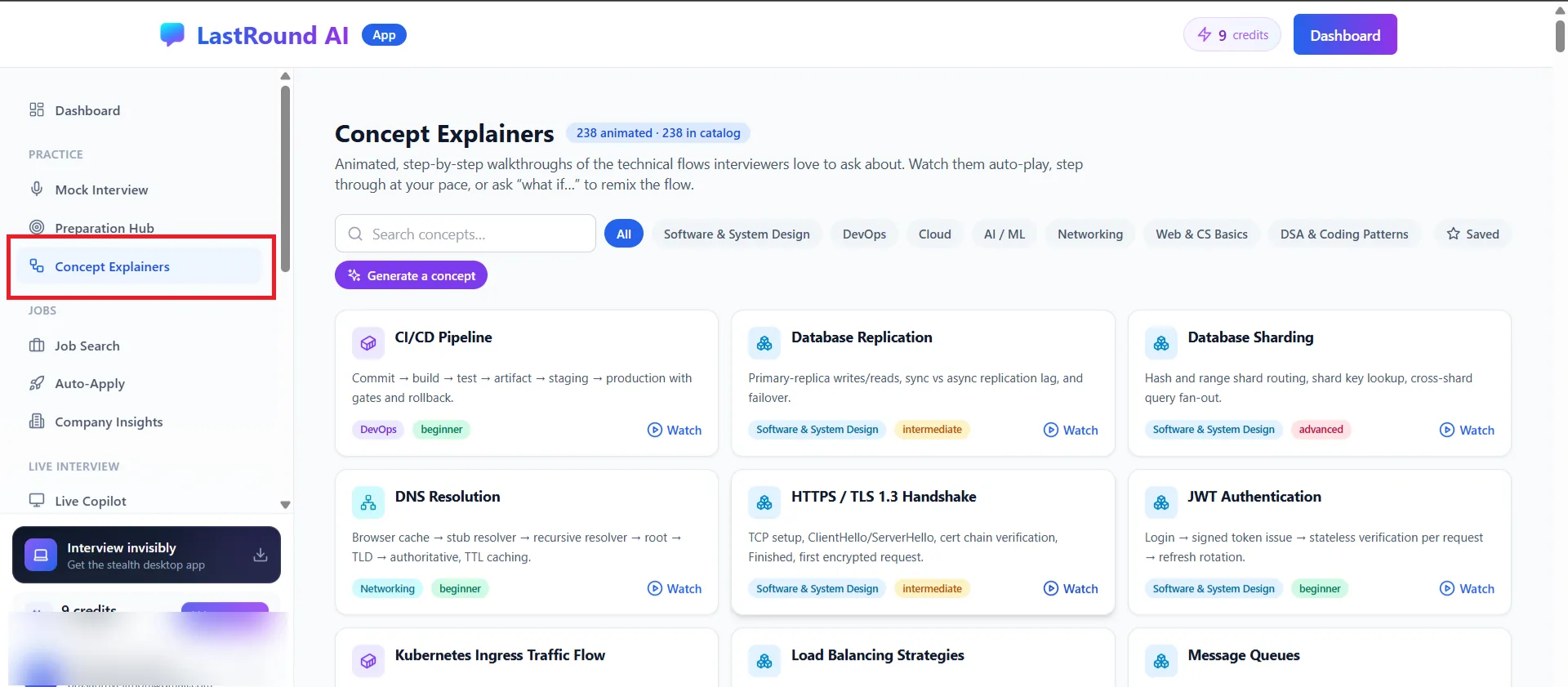
Practice → Concept Explainers. Step 2: Watch a walkthrough
Open a concept such as CI/CD Pipeline. The left side is an interactive flow diagram you can pan and zoom; the right side has The big picture summary and Start the step-by-step walkthrough, which animates each step (for example Developer Pushes a Commit to Test Failure — Pipeline Stops). Use Save to bookmark it and Notes to keep your own notes alongside it.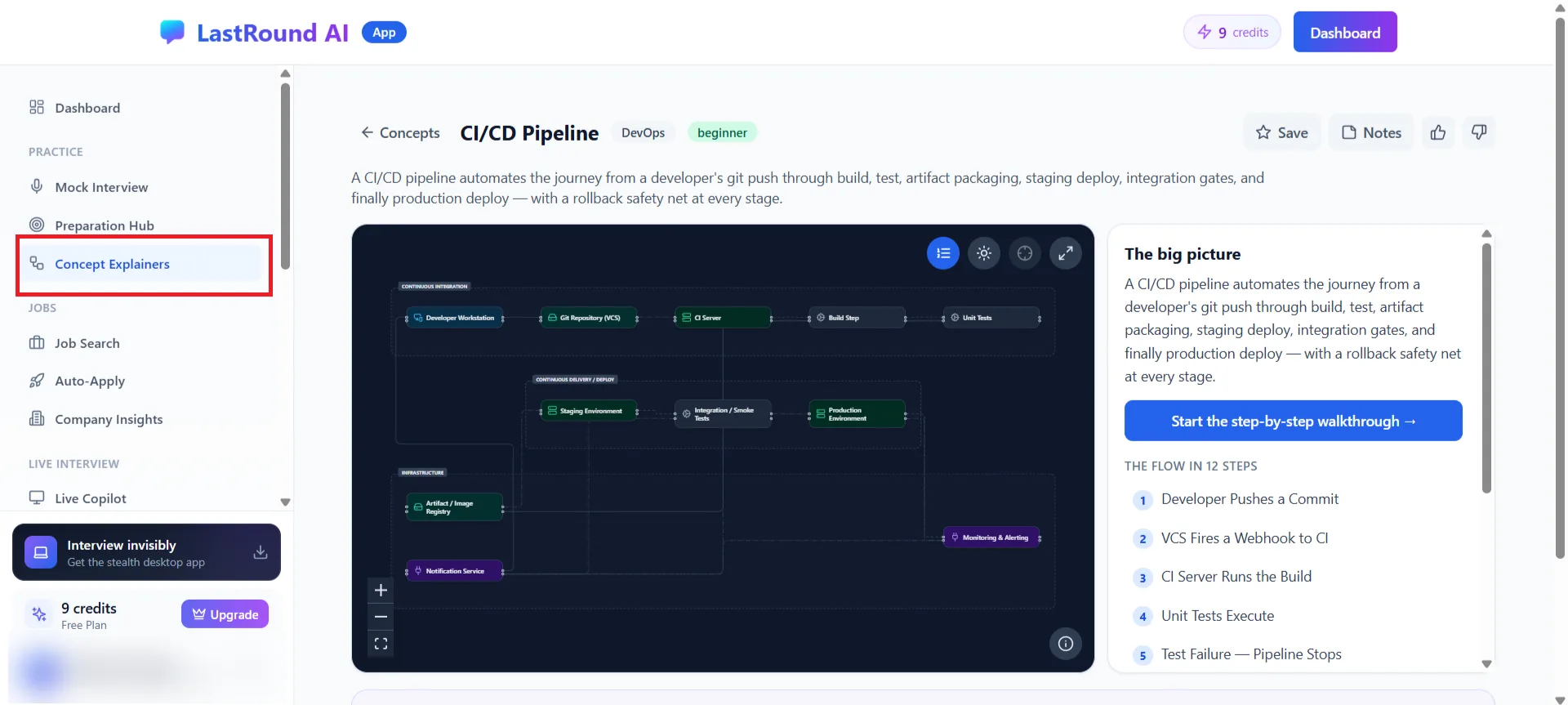
A concept page: diagram, big picture and the flow in numbered steps. Step 3: Generate your own
Generate a concept (top right of the catalog) builds a walkthrough for a topic that is not in the catalog yet. Generated concepts appear under My Generated Concepts. The catalog also links to Learning Programs, longer structured tracks with labs and readiness scoring.
Interview tip
Many walkthroughs include an interviewer note that tells you the follow-up question a panel is likely to ask. Rehearse that answer out loud, then check it against the Preparation Hub key points.
Still stuck?
Signed in? Open a ticket under Account → Support in the app. Otherwise use the contact form or email. Tell us what you tried, which page of this guide you were on, and your operating system or browser.